Deploy and Host Rybbit on Sealos
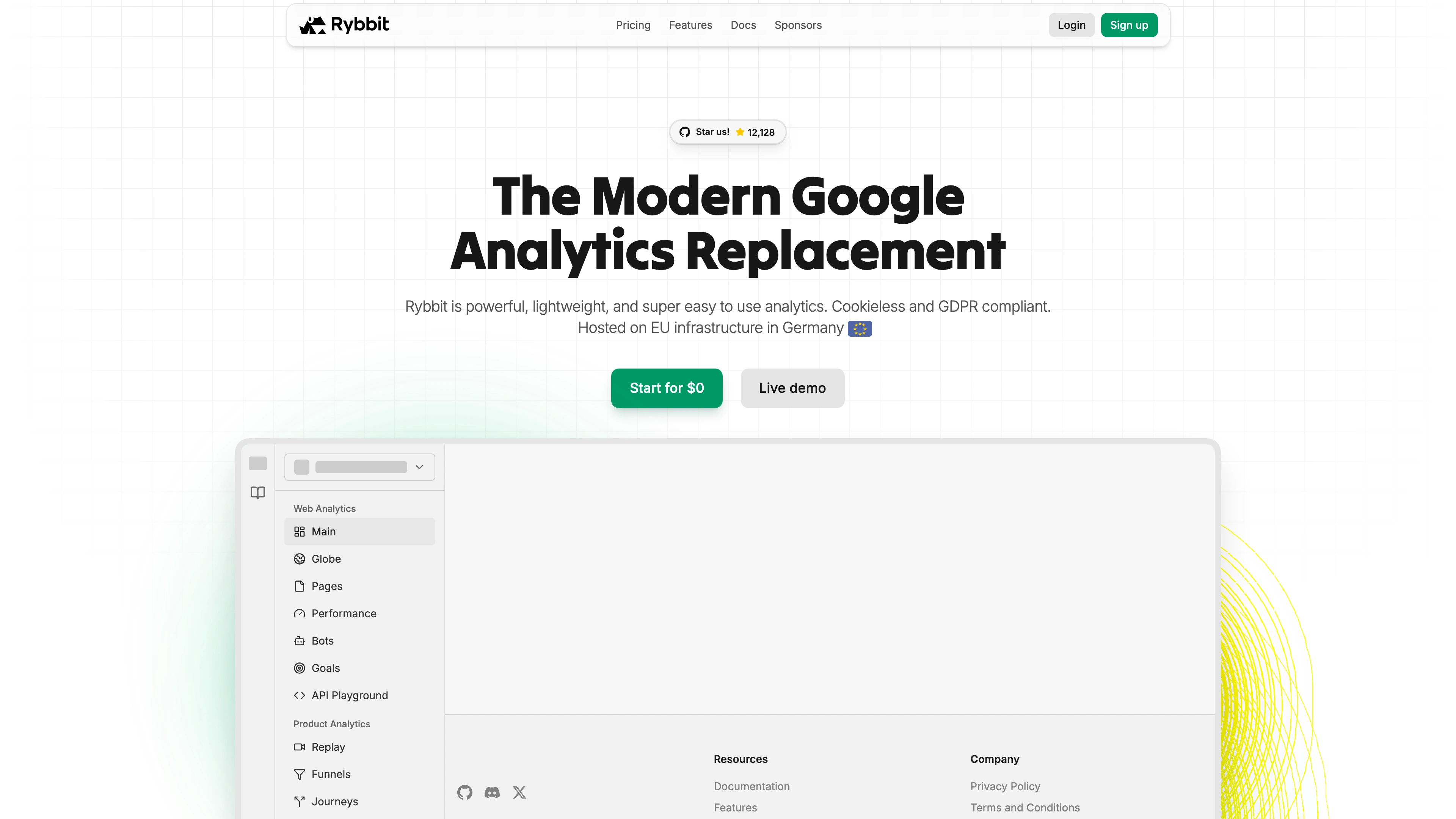
Rybbit is a modern, open-source, privacy-friendly web and product analytics platform. This template deploys Rybbit with a separate web client, backend API, ClickHouse analytics storage, and PostgreSQL metadata database on Sealos Cloud.
About Hosting Rybbit
Rybbit helps teams understand website and product usage without relying on invasive third-party analytics platforms. It supports traffic analytics, product events, session insights, and a privacy-focused analytics workflow for modern web applications.
This Sealos template runs Rybbit as a multi-service deployment. The client serves the web dashboard, the backend API handles authentication and analytics APIs, ClickHouse stores high-volume analytics events, and PostgreSQL stores application metadata. Sealos automatically provisions public HTTPS access, internal service discovery, persistent storage, and database credentials.
The deployment is designed for a straightforward self-hosted setup. Signup is enabled by default so you can create the first account after deployment, while application secrets and database credentials are generated automatically by the template.
Common Use Cases
- Privacy-friendly website analytics: Track page views, referrers, devices, locations, and visitor behavior without sending data to Google Analytics.
- Product analytics: Collect and analyze product events to understand feature adoption and user journeys.
- Self-hosted analytics for SaaS products: Keep analytics data under your own infrastructure while still using a modern dashboard.
- Lightweight analytics for content sites: Monitor content performance, acquisition channels, and audience trends.
- Internal application monitoring: Analyze usage patterns for private dashboards, portals, and internal tools.
Dependencies for Rybbit Hosting
The Sealos template includes all required runtime components: Rybbit client, Rybbit backend API, ClickHouse for analytics event storage, PostgreSQL 16 for metadata storage, persistent volumes, internal Services, and HTTPS Ingress resources.
Deployment Dependencies
Implementation Details
Architecture Components:
This template deploys the following services:
- Rybbit Client: Next.js web dashboard exposed as the primary public application on port
3002.
- Rybbit Backend: API service exposed under the same public host at
/api on port 3001.
- ClickHouse: Stateful analytics database using
clickhouse/clickhouse-server:25.4.2 with persistent storage for event data.
- PostgreSQL: Kubeblocks-managed PostgreSQL 16 database used for Rybbit metadata and application state.
- PostgreSQL Init Job: Idempotently creates the
analytics database before the backend starts.
- Ingress and App Entry: Sealos-managed HTTPS entrypoint for the Rybbit dashboard and backend API.
Configuration:
The template automatically generates the application name, public host, Better Auth secret, and ClickHouse password. PostgreSQL credentials are provided through Sealos-managed database secrets, and the backend reads them through Kubernetes secretKeyRef values.
The client uses NEXT_PUBLIC_BACKEND_URL to point to the generated public URL. The backend uses BASE_URL with the same public host, connects to ClickHouse over the internal Kubernetes Service, and connects to PostgreSQL through the Kubeblocks connection secret.
Signup is enabled by default with DISABLE_SIGNUP=false. After deployment, open the public Rybbit URL and register the first user account. Optional map-based features may require a Mapbox token if you choose to enable them later.
License Information:
Rybbit is licensed under the GNU Affero General Public License v3.0 (AGPL-3.0). This Sealos template is provided as deployment configuration for running Rybbit on Sealos Cloud.
Why Deploy Rybbit on Sealos?
Sealos is an AI-assisted Cloud Operating System built on Kubernetes that unifies the application lifecycle, from development and deployment to production operations. By deploying Rybbit on Sealos, you get:
- One-Click Deployment: Deploy Rybbit without manually writing Kubernetes manifests or wiring databases by hand.
- Kubernetes-Native Runtime: Run the client, backend, ClickHouse, and PostgreSQL on a Kubernetes-based platform with service discovery and workload management.
- Persistent Storage Included: Keep ClickHouse analytics data and PostgreSQL metadata available across restarts and upgrades.
- Instant Public Access: Get an automatic HTTPS URL for the Rybbit dashboard and backend API.
- Easy Customization: Adjust environment variables, resources, and storage from the Canvas using AI dialog or resource cards.
- Pay-as-You-Go Resources: Allocate only the CPU, memory, and storage you need, then scale as your analytics workload grows.
- Simplified Operations: Focus on analytics and product decisions while Sealos handles infrastructure provisioning and orchestration.
Deploy Rybbit on Sealos when you want self-hosted analytics without spending time managing Kubernetes infrastructure directly.
Deployment Guide
- Open the Rybbit template and click Deploy Now.
- Configure the parameters in the popup dialog. The default generated values are enough for a standard deployment.
- Wait for deployment to complete, typically 2-3 minutes. After deployment, you will be redirected to the Canvas. For later changes, describe your requirements in the AI dialog, or click the relevant resource cards to modify settings.
- Access your application via the provided URL:
- Rybbit Dashboard: Open the generated public URL and register your first account.
- Backend API: Available under the same host at
/api for Rybbit client and tracking requests.
Configuration
After deployment, you can configure Rybbit through:
- AI Dialog: Describe the changes you want, such as disabling signup or adding optional API tokens, and let AI apply updates.
- Resource Cards: Open the backend Deployment card to adjust environment variables such as
DISABLE_SIGNUP, MAPBOX_TOKEN, or resource limits.
- Canvas Resources: Review the ClickHouse StatefulSet, PostgreSQL Cluster, Services, and Ingress resources created by the template.
- Rybbit Dashboard: Create your first account, add websites or products, and follow Rybbit's in-app setup instructions to install tracking scripts.
Scaling
Rybbit includes separate client, backend, ClickHouse, and PostgreSQL resources. Start with the default deployment, then scale based on event volume and dashboard traffic.
- Open the Canvas for your deployment.
- Click the client or backend Deployment card to adjust CPU, memory, or replica count.
- Click the ClickHouse StatefulSet card to increase CPU or memory for higher analytics query volume.
- Apply changes through the dialog and monitor readiness from the Canvas.
For high-volume analytics workloads, prioritize ClickHouse CPU, memory, and storage capacity before increasing frontend replicas.
Troubleshooting
Signup is not available
- Cause:
DISABLE_SIGNUP may have been changed to true after the first account was created.
- Solution: Set
DISABLE_SIGNUP=false on the backend Deployment if you need to allow new account registration again.
Map or globe features ask for a token
- Cause: Some map-based visualizations require
MAPBOX_TOKEN.
- Solution: Add your Mapbox token to the backend Deployment environment variables and restart the backend.
Backend is not ready
- Cause: The backend waits for ClickHouse and PostgreSQL before starting.
- Solution: Check the backend Deployment, ClickHouse StatefulSet, PostgreSQL Cluster, and PostgreSQL init Job from the Canvas. Make sure all database resources are running before troubleshooting the backend itself.
Getting Help
Additional Resources
License
This Sealos template is provided as deployment configuration for Sealos users. Rybbit itself is licensed under the GNU Affero General Public License v3.0.