Ports and Networking
Add and manage more than one application port in Sealos when a single endpoint is not enough.
When to use this
Use this page when one app needs more than one listener, for example HTTP plus HTTPS, an app port plus an admin port, or a public API plus a private metrics endpoint.
This is also the right page when you need to decide which ports stay internal and which ports should become public.
Before you change this
Every public port creates another externally reachable endpoint.
Before you expose more ports, decide which ones should remain internal and which ones really need internet access.
Add more than one port
- Open the app details page and reopen the settings with Update or Change.
- Go to the network section.
- Use Add Port to create the first additional port mapping.
- Enter the container port and decide whether that port should be public or internal only.
- Repeat the same process for each required port.
- Save the change and redeploy the app.
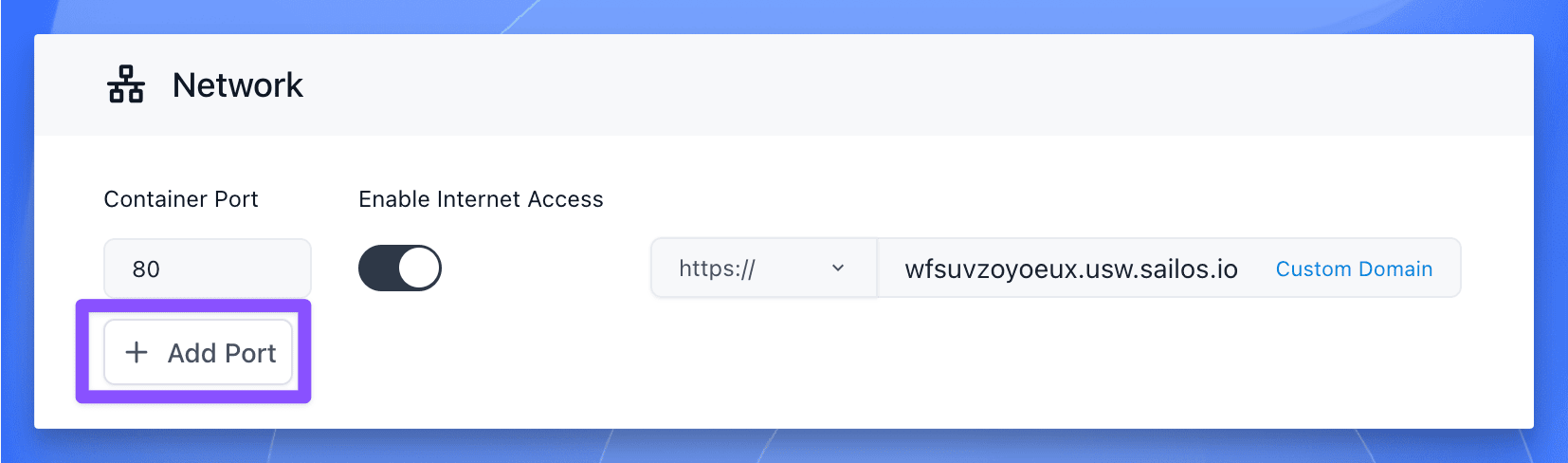
Common examples include:
- HTTP and HTTPS on separate ports
- A user-facing service plus an admin service
- A REST API plus a gRPC endpoint
- An app service plus a
/metricsport that should stay private
If you expose a port publicly, Sealos assigns a separate externally reachable endpoint for that port, usually through its own sub-domain.
Verify
Check the network result after redeploy:
- The app returns to
running. - Every required port appears in the current app configuration.
- Each public port receives the expected external address or sub-domain.
- Internal-only ports are not accidentally exposed to the public internet.
If a public endpoint opens the wrong service, re-check the port mapping before you change domains or application code.
Related Tasks
- Domains and Public Access if one of the public endpoints now needs a custom domain.
- Update and Redeploy if you are changing image, env, or storage together with networking.
Explore with AI
Get AI insights on this article
Share this article
Last updated on